

Move to explore · Hover to preview · Click to open
Melody turns a sentence into an atmosphere—and keeps that atmosphere open to change. Describe soft-focus electronica for late-night work, warm keys over brushed percussion, or a spare pulse with room to breathe, and an original instrumental stream begins to play.
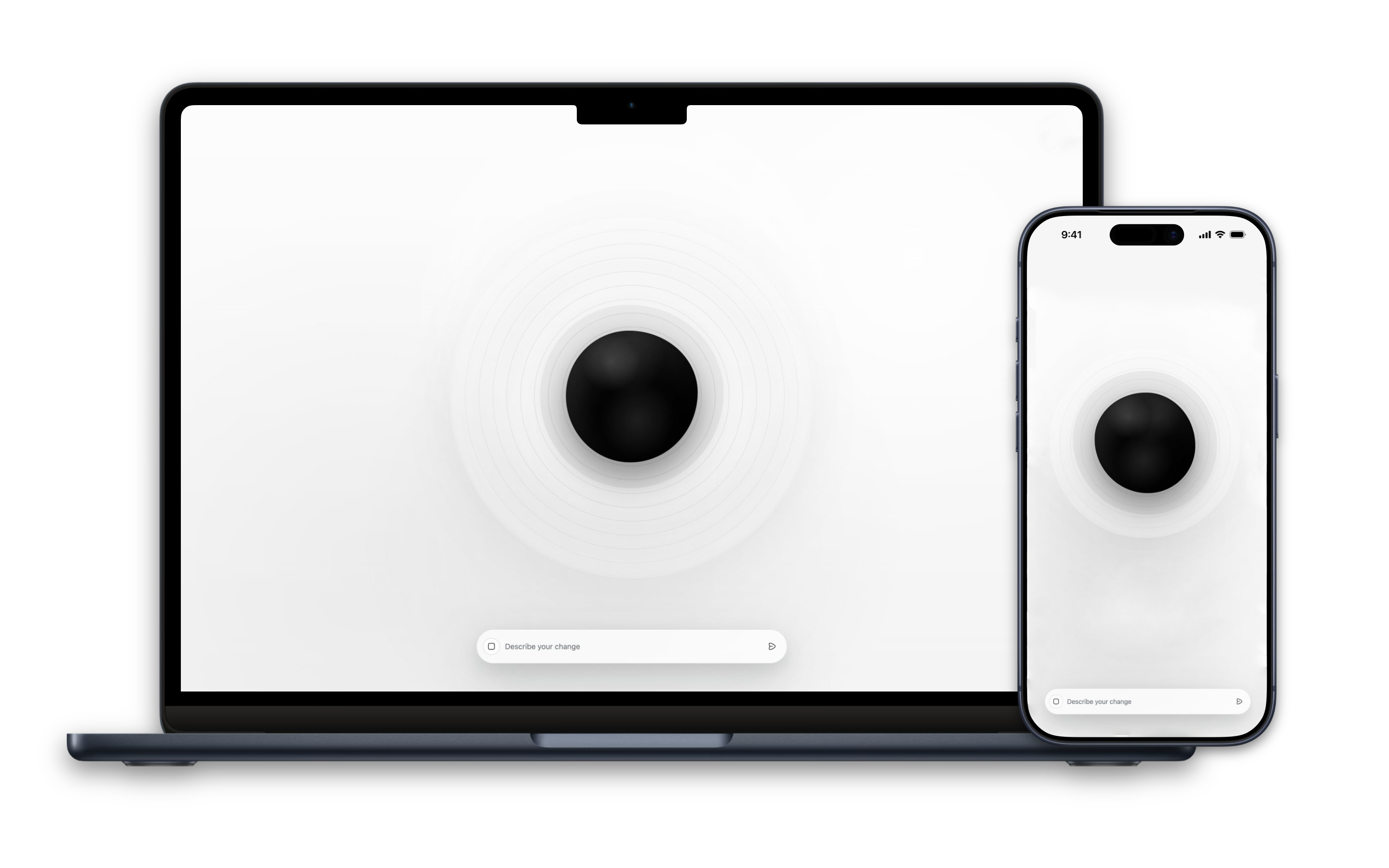
The first prompt is not a search for a finished track. It starts a conversation with the music. Once playback begins, the interface steps back: a dark orb wakes at the centre of the page, fine rings move with the sound, and the prompt settles near the bottom, ready for a new direction.
Ask for more space, a brighter harmony, gentler drums, or a stronger rhythmic push, and the running piece bends toward the idea without breaking its flow. The experience feels closer to guiding a responsive ensemble than choosing from a playlist.
Melody’s restraint is part of its purpose. There are no timelines, catalogues, or crowded production controls competing for attention. Google Lyria RealTime continuously generates and reshapes the audio from the browser, while the listener’s API key stays in local browser storage. The technology disappears into the essential feeling: immediate, private, uninterrupted musical direction.
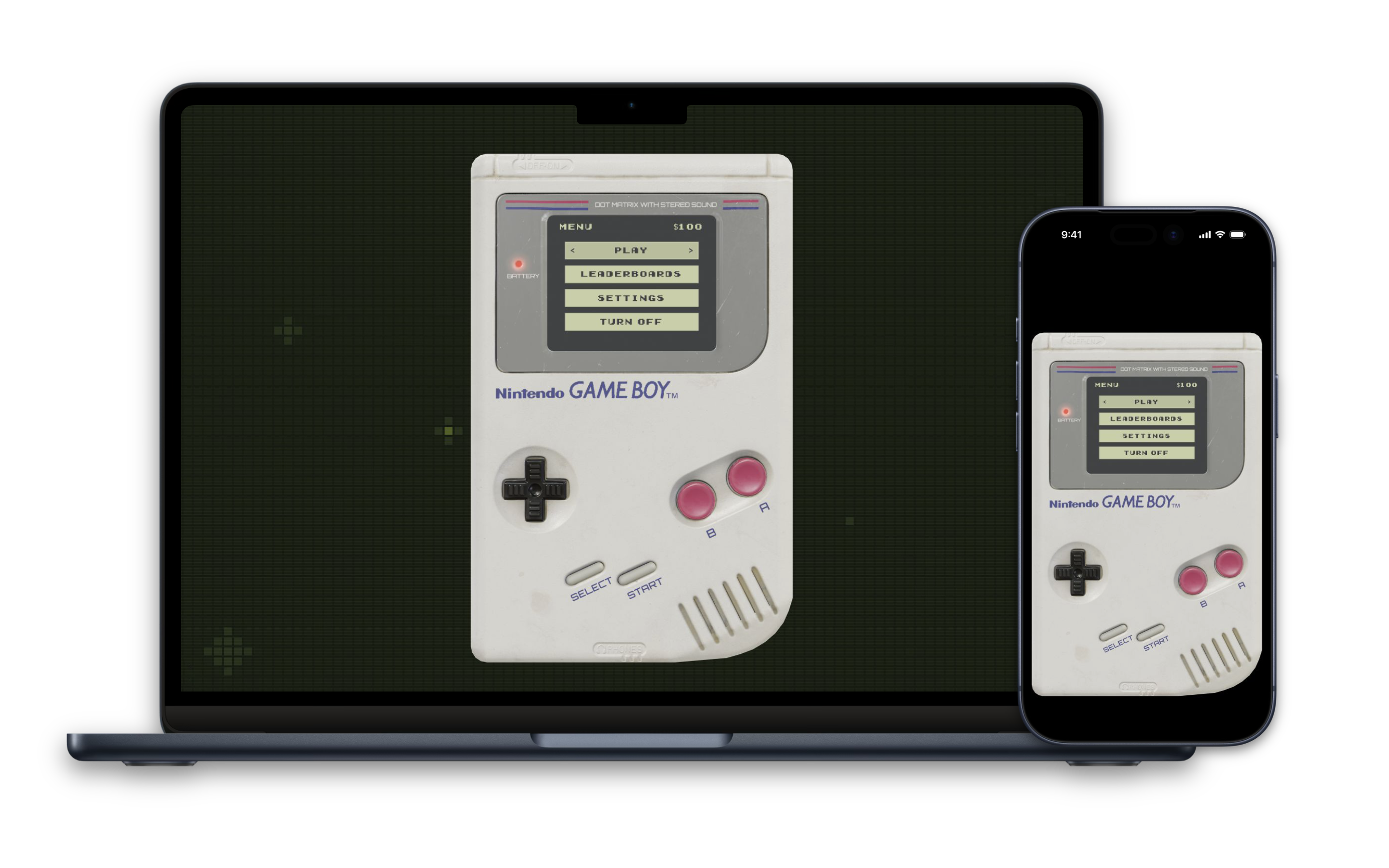
Playground turns a quiet browser tab into the familiar weight and glow of a well-loved Game Boy. Power it on, the battery light glows red, the little green screen wakes, and Play is waiting.
The experience opens on the object itself: warm plastic, worn edges, candy-coloured buttons, and the focused simplicity of a real handheld. A subtle pixel field flickers behind it on desktop; on mobile, the same console settles naturally into the narrower frame, close enough to feel held rather than merely clicked.
Snake rewards nerve, Tetris settles into an absorbing rhythm, and Blackjack adds a little risk to the pocket-sized screen. Leaderboards make every run matter, while the personal balance in the menu gives the arcade the feeling of a place you return to—not a disposable demo.
Its 3D presentation is more than decoration. It makes menus and games feel physical, turning the keyboard into the console on desktop and the model’s own D-pad and buttons into touch controls on mobile. There is no crowded storefront or endless feed: just a few good games and the irresistible urge to try once more.
Shelf is the calm, shared memory a busy kitchen needs. It keeps the household’s real inventory in one warm, legible place, turning “Do we still have that?” into a quick glance and grocery planning into something closer to knowing your own home.
The experience is deliberately domestic rather than clinical. Soft surfaces, citrus accents, and generous spacing make a long pantry list feel approachable. On a phone, Shelf becomes a companion at the cupboard or in the supermarket; on desktop, the whole household picture opens up without losing that sense of ease.
An inventory becomes useful when it helps with the next decision. Shelf turns the ingredients already on hand into an inviting meal, then carries the idea from inspiration to the pan with matched amounts, practical notes, step-by-step guidance, and relevant videos.
Convex keeps household information synchronized, so Shelf feels less like a static checklist and more like a living part of the kitchen. The result is a small but meaningful sense of control: fewer duplicate purchases, fewer forgotten ingredients, and more meals made from what is already there.
SmartSpace is an iPhone workspace for material you need to understand, not merely store. A research paper, lecture, project brief, or page of notes becomes its own focused room where the important ideas can surface and the noise can fall away.
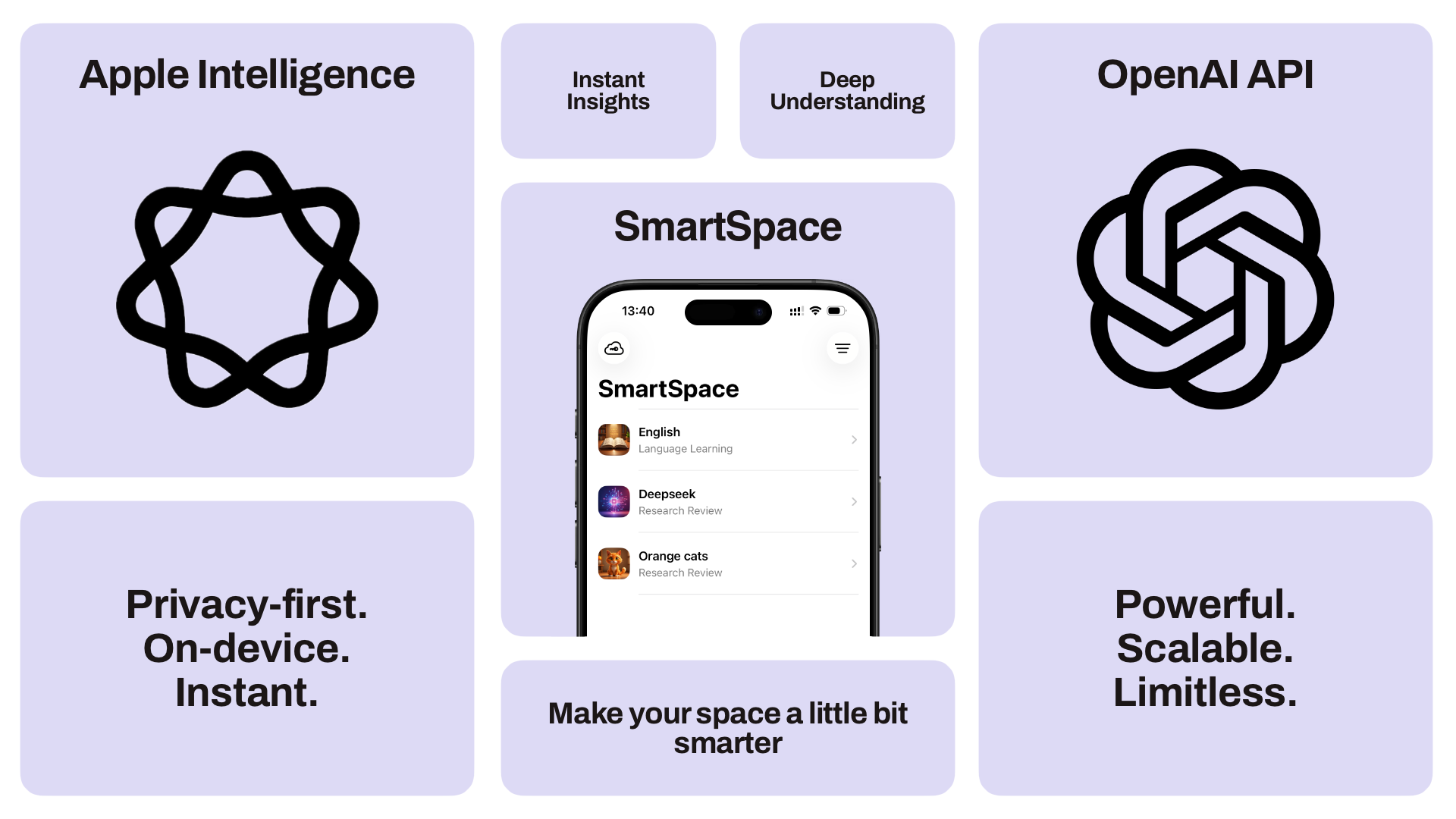
Each Space takes on the shape of its purpose. Language Learning turns unfamiliar text into vocabulary, flashcards, and practice questions. Exam Prep, Lecture Notes, and Research Review rearrange the same source material into the right way of seeing: a central question, clear summary, key terms, insights, arguments, or an outline.
The experience stays tactile and reassuring. Covers give each Space a visual identity. Generated blocks arrive directly in the dashboard, ready to unfold into focused reading, tap-to-flip flashcards, and quizzes with immediate feedback. A quiet question field remains nearby when curiosity moves beyond the prepared material.
Privacy is part of the product’s character. Apple Intelligence is the natural starting point, using on-device models and Private Cloud Compute where applicable. OpenAI remains an optional choice, enabled with the user’s own key. SmartSpace turns dense information into something approachable, memorable, and genuinely personal.
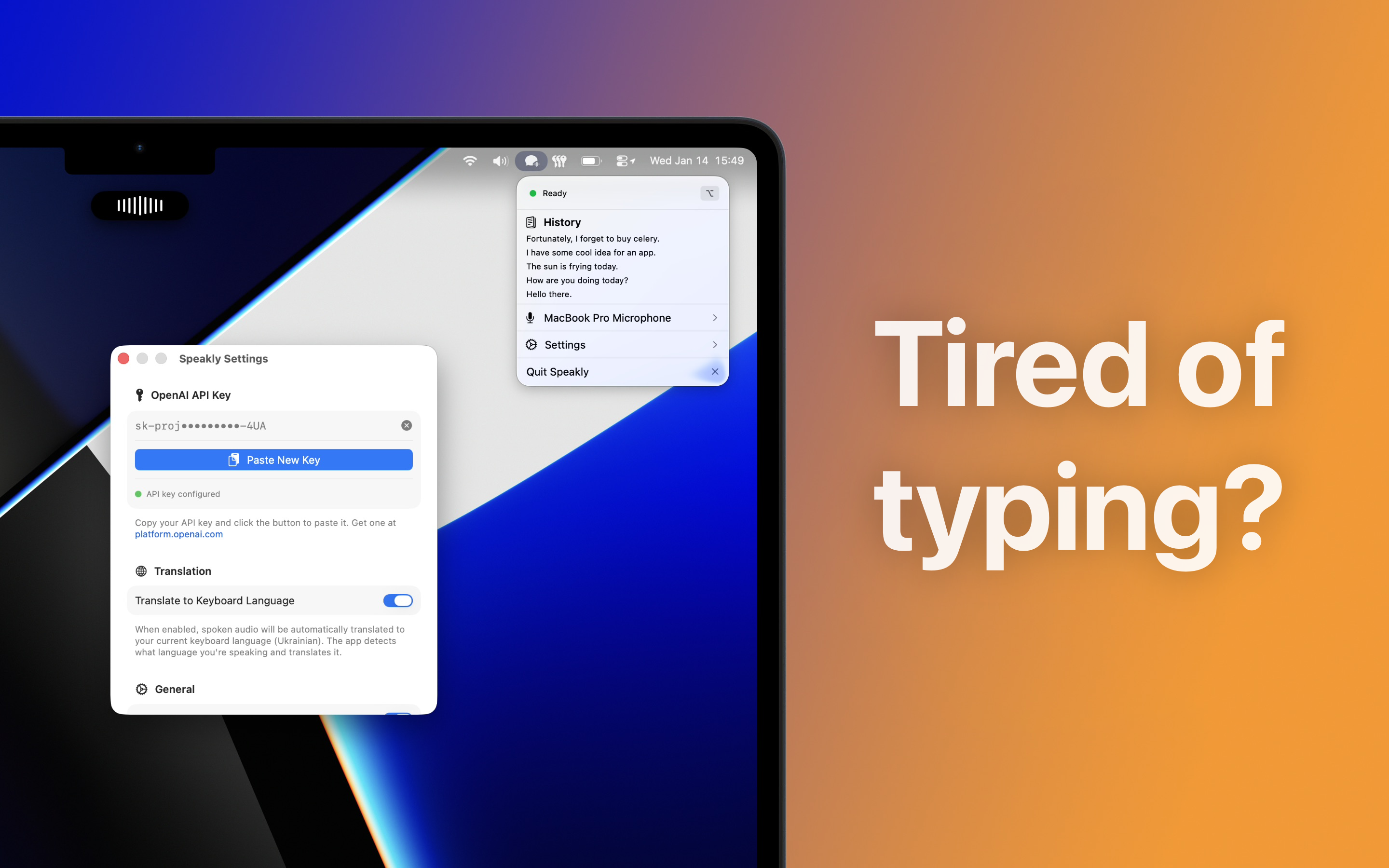
Speakly lives in the macOS menu bar and turns a familiar key into a direct line between your voice and whatever you are writing. Hold the right Option key, speak naturally, then release. Moments later, the transcription lands in the active text field.
There is no separate editor to manage and no document to shuttle between apps. A small waveform responds to the voice, contracts into a slender pulse while the words are prepared, and disappears as the result arrives. The experience stays anchored in the message, note, prompt, or paragraph already in front of you.
That restraint gives Speakly its character. It feels less like opening a tool and more like gaining a new reflex: press, talk, continue. The menu-bar window confirms when the app is ready, remembers recent transcriptions for quick copying, and lets the user choose the microphone that fits the moment.
For multilingual work, Speakly can listen in one language and return text in the language of the current keyboard. OpenAI transcription runs behind the flow while the API key stays protected in the macOS Keychain. It is a distinctly Mac-like utility that earns its place by almost disappearing.
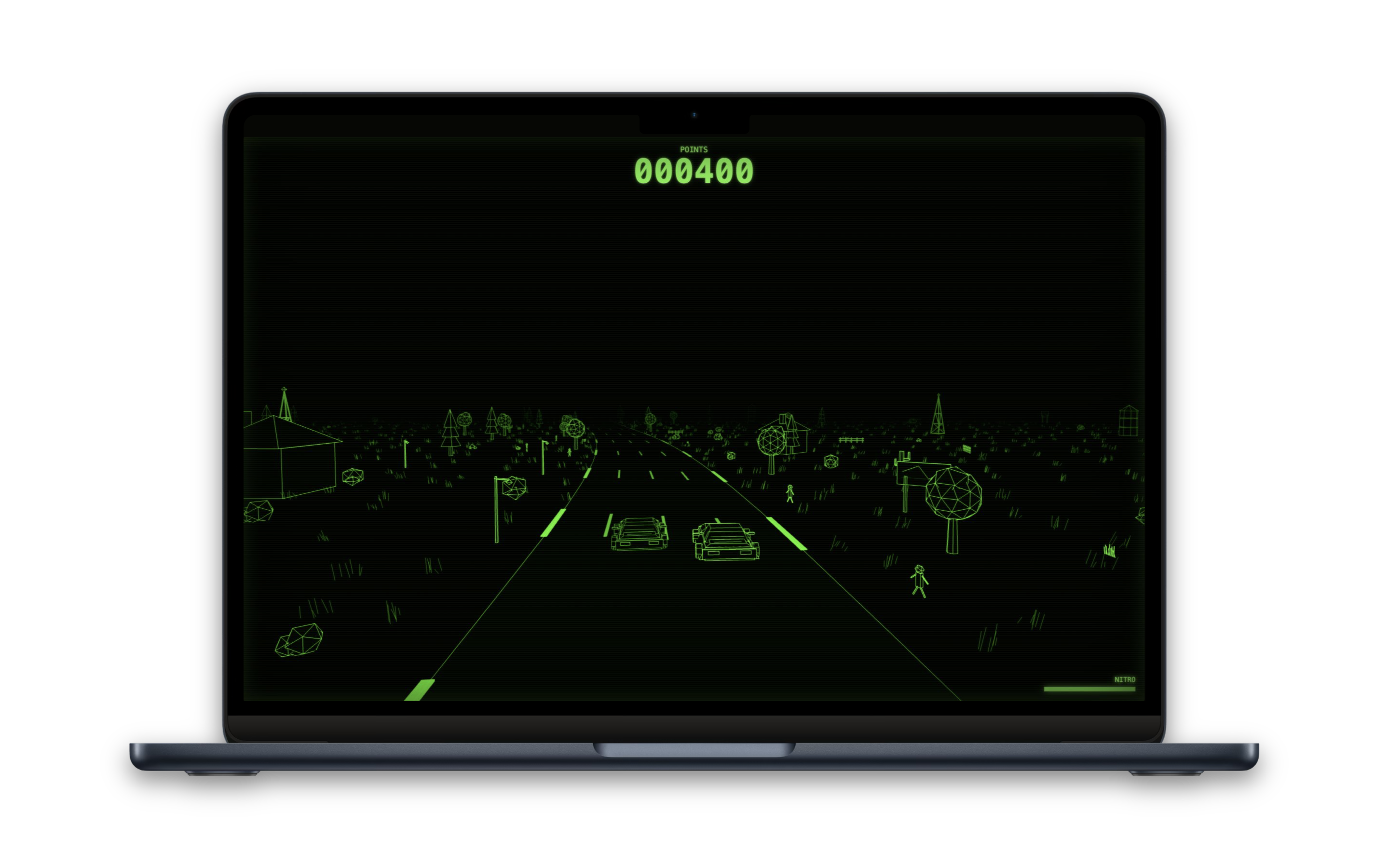
Pixel Racing is a browser racer with the immediacy of an arcade cabinet and the atmosphere of a half-remembered computer dream. Hit Space and the darkness resolves into a luminous country road, traffic gathers ahead, and the chase begins.
Every tree, farmhouse, lamp, radio tower, spectator, and blade of grass is drawn as a fine green signal against black. The pleasure comes from how little stands between intention and motion: Arrow keys or WASD are enough to accelerate, brake, and carve across four lanes.
The road bends continuously through a living wireframe landscape while rival cars choose their own lines and move through traffic. Checkpoint gates give the drive its pulse. Clean runs build points; a clipped opponent or an ambitious trip onto the shoulder can take them back just as quickly.
Space becomes nitro once the race is underway. The charge drains, recovers, and tempts one more burst as the engine climbs and green streaks snap away from the car. Pixel Racing captures the satisfying core of driving—rhythm, risk, correction, speed—and makes it instantly reachable from a link.
MaksymHaiduk
Stay curious
I'm a software engineer driven by curiosity, always eager to explore new things and turn big ideas into everyday experiences.
I've dabbled in iOS and macOS development, but they couldn't match the pull of web development, so I shifted my focus there.
I'm excited to push my limits, especially with today's AI technologies.
- Age
- 20
- Based in
- Germany
- Languages
- English, Ukrainian